Built withAzerothCore · Node.js · MySQL · Express · WoW 3.3.5a

A content editor for AzerothCore 3.3.5.

Spells, items, creatures, quests, vendors, professions and gems. Retail models in 3.3.5. One patch for your players.

Runs locally. No account.

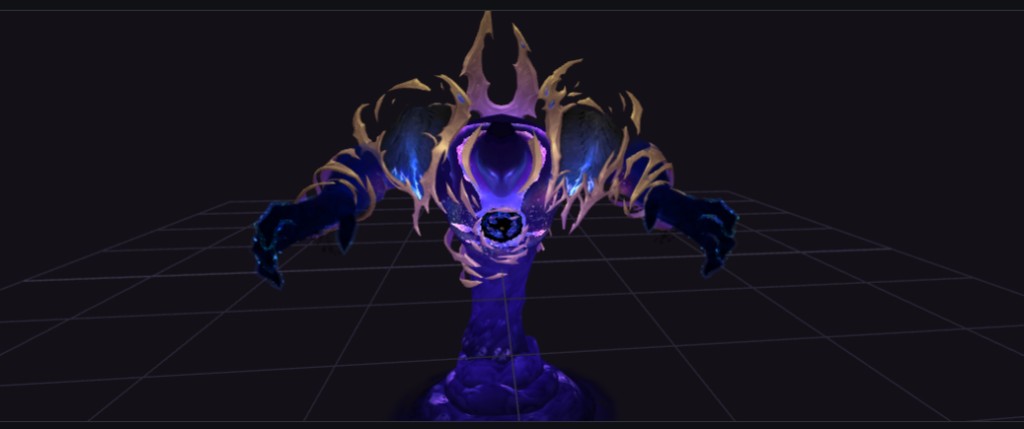
A retail boss model shown in the Downport viewer
Dimensius, downported from retail.
RequiresAzerothCoreMySQLNode.js 20+WoW 3.3.5a clientRecommendedRetail WoW client

World

Spells and other records

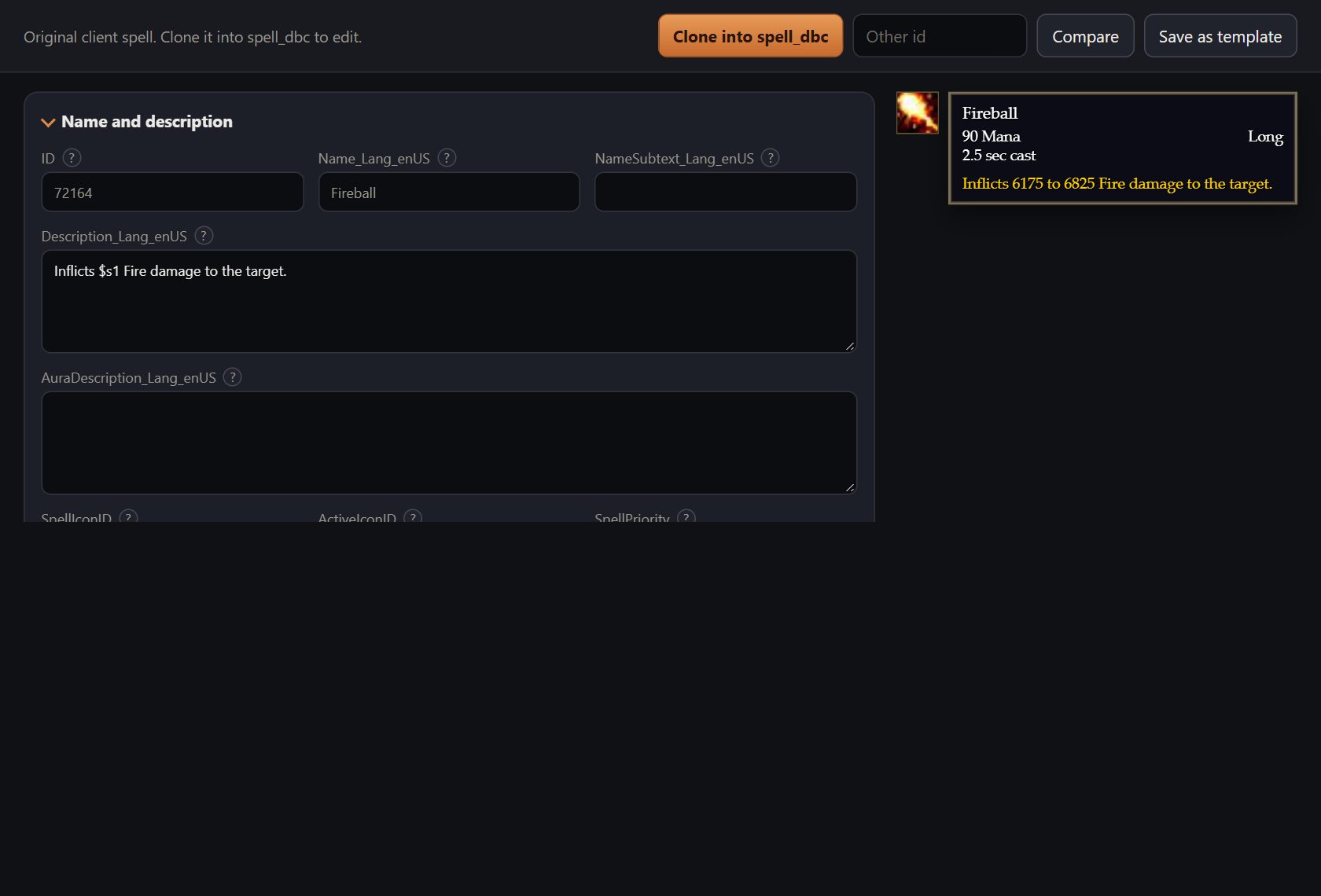
Spells, items, factions, achievements, titles, enchantments and the other client tables, on one form. Flags show by name.

  • Search stock and custom rows by name or id
  • Live tooltip next to the form
  • Clone a stock spell to edit it
  • Upload a PNG as a spell or item icon
The Fireball spell open in the records editor, with its tooltip beside the form
Fireball, with its tooltip.

Quest chains

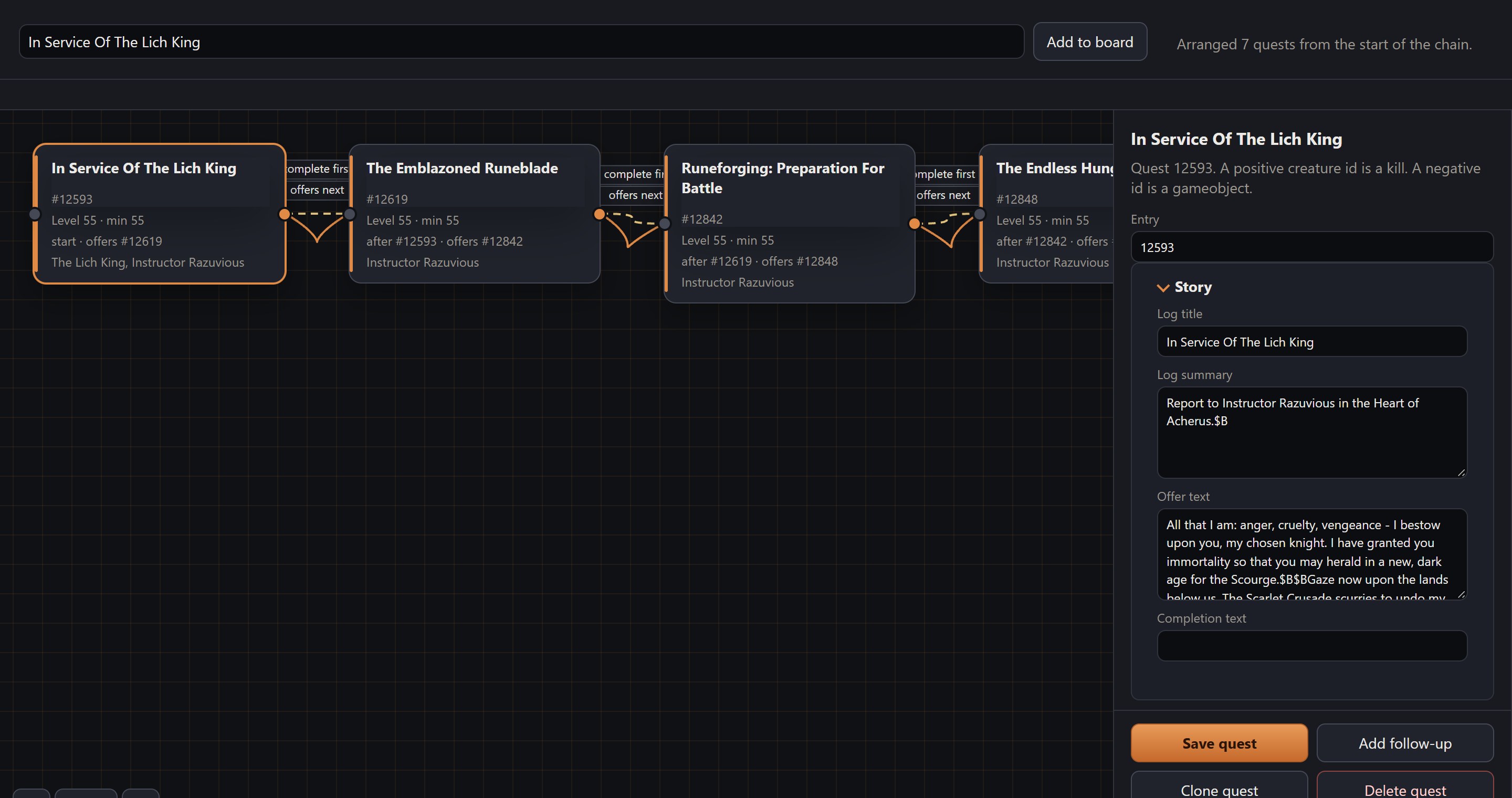
Quests are cards on a board. Drag a line from one to the next to chain them.

  • Load a quest and everything linked to it
  • Shift-drop to offer the next quest on turn-in
  • Quest text is edited next to the board
  • Pick the quest giver and ender
The Death Knight starting quest chain laid out on the quest board
The Death Knight starting chain.

Creatures

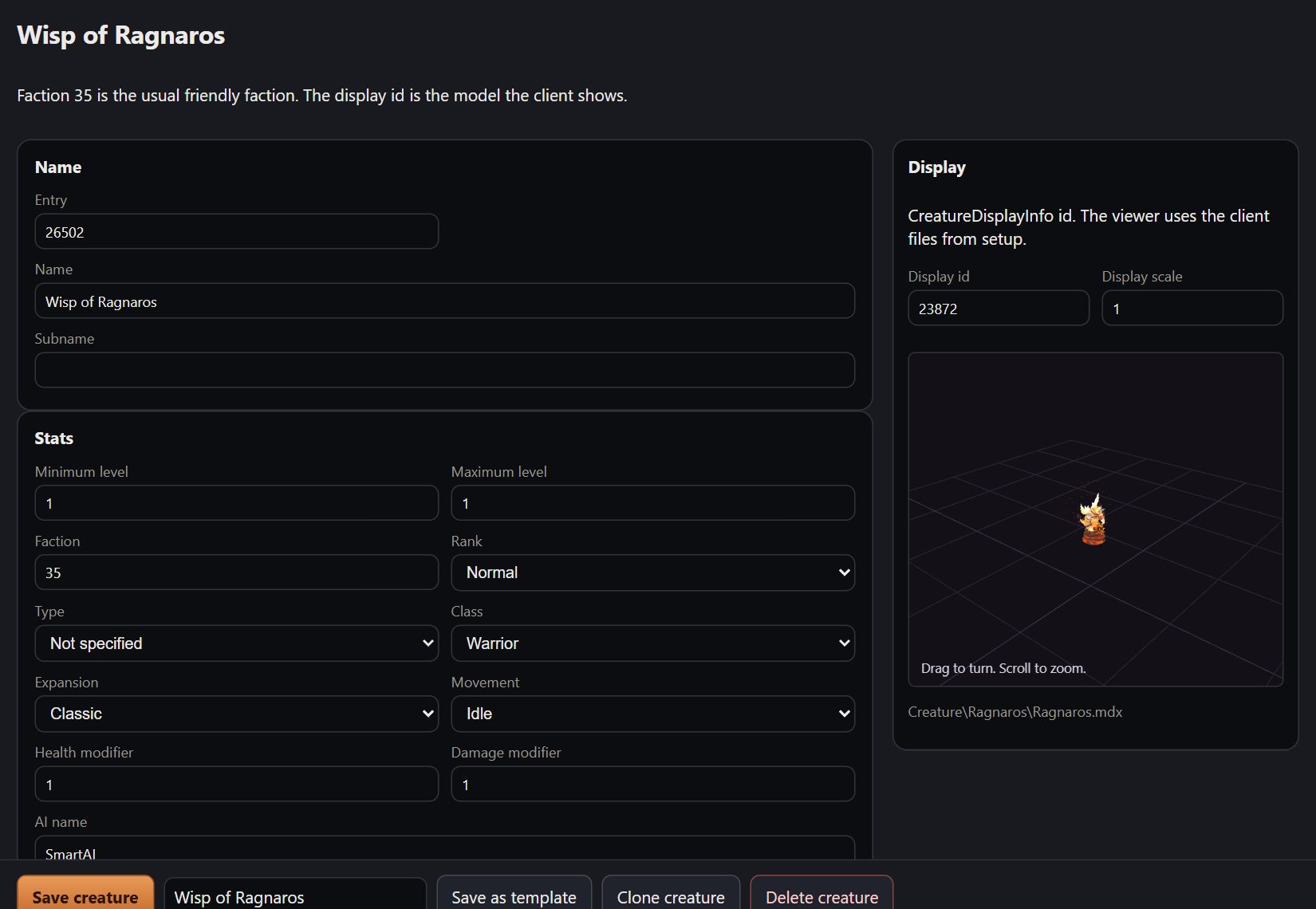
Name, level, faction and class on one form, with the model next to it.

  • 3D model preview
  • Save a creature as a template
  • Spawn it in the world
The creature editor showing Wisp of Ragnaros beside a 3D preview of the model
Wisp of Ragnaros.

Vendors

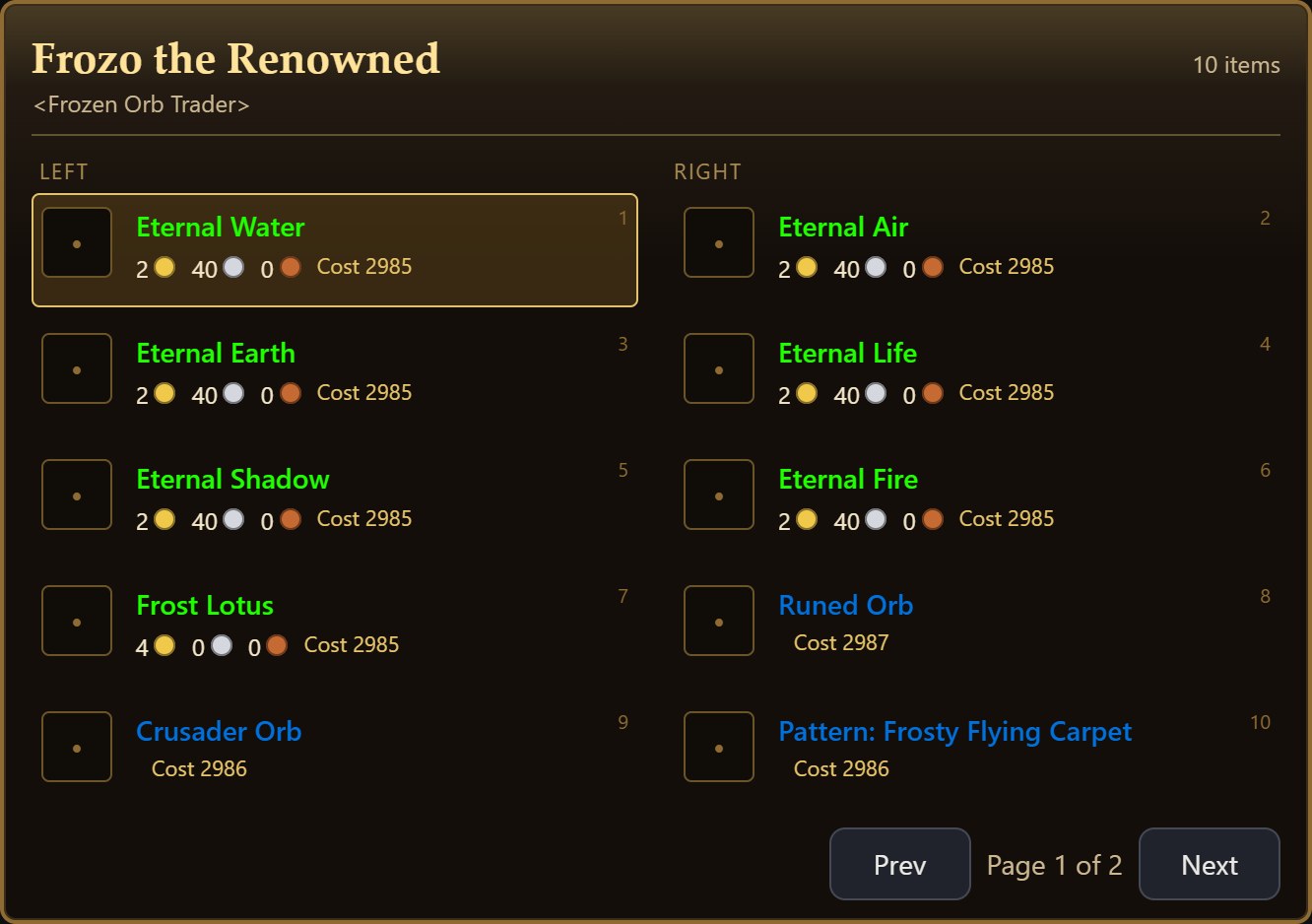
Laid out like the merchant window in game. Saving creates the NPC and its goods.

  • Gold, honor, arena points and token prices
  • Existing prices are reused
  • Prices export into the patch
Frozo the Renowned's goods laid out like the in-game merchant window
Frozo the Renowned.

Professions

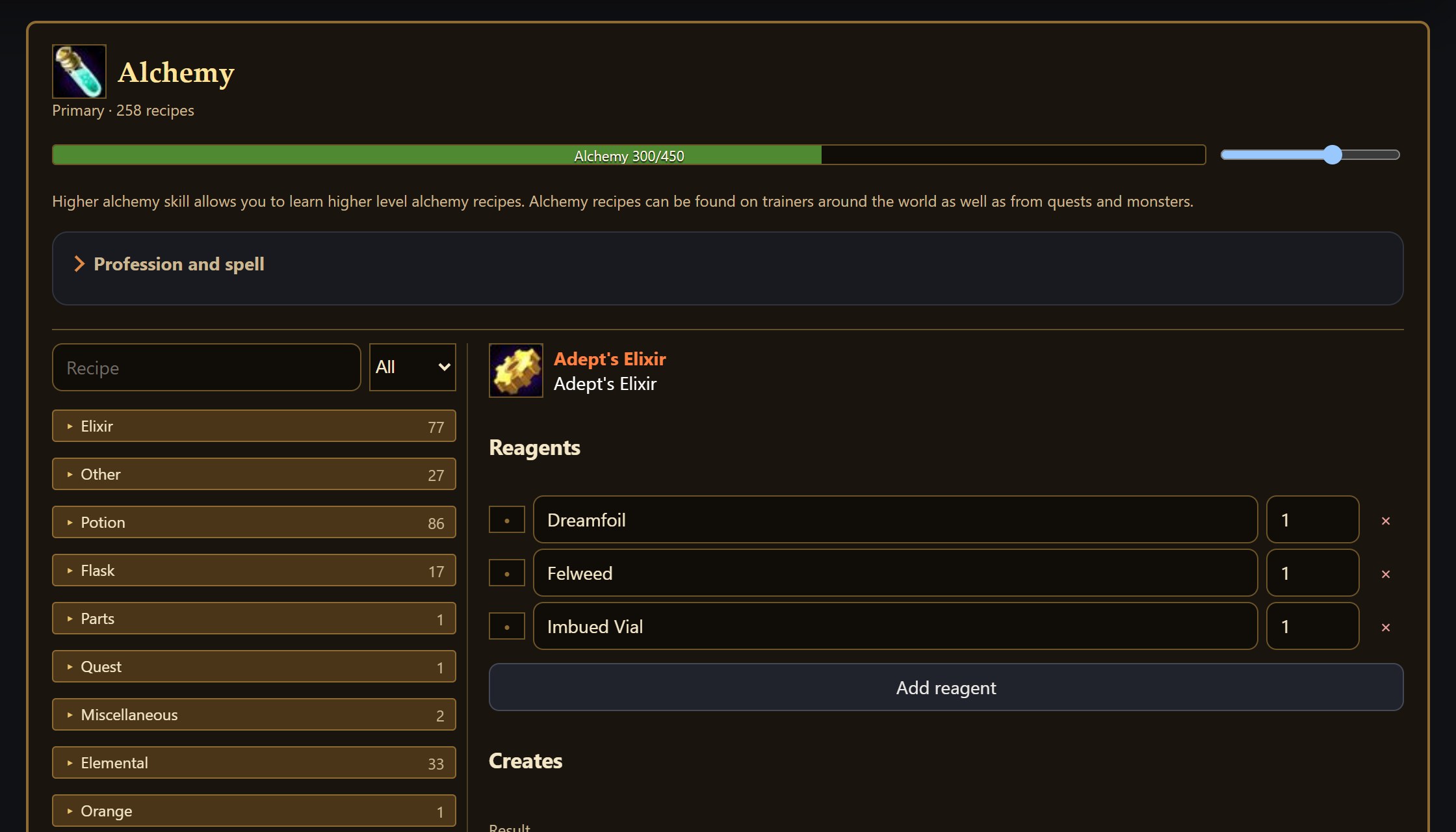
The same window as in game: skill bar, recipes and reagents.

  • Stock professions load from the client files
  • Orange, yellow, green and grey recipe colors
  • Add a profession, a recipe and its trainer spell
Alchemy open in the professions editor, with recipe groups and reagents
Alchemy.

Game objects

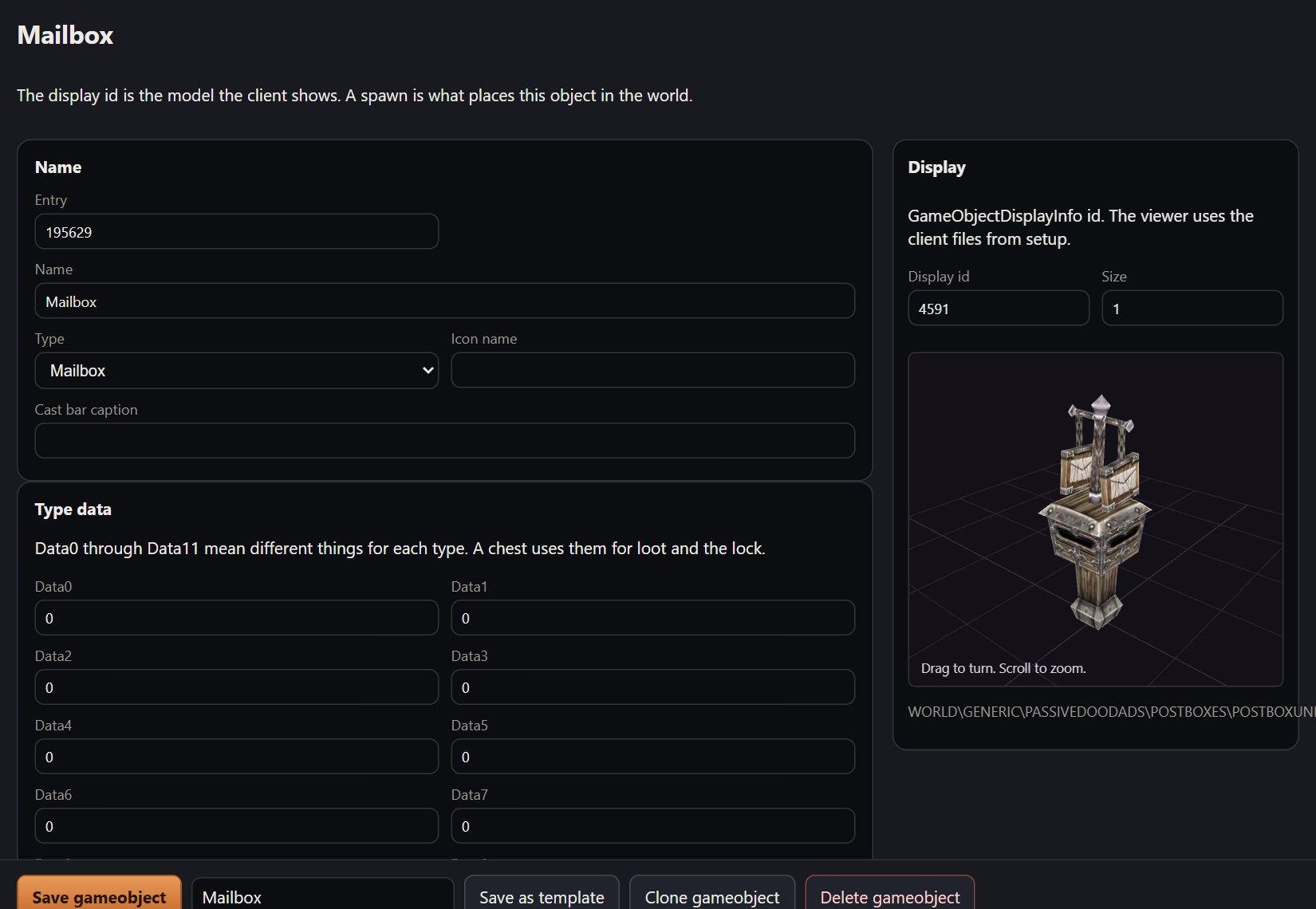
Chests, doors, mailboxes and anything else players click. Each type's data fields are labeled.

  • 3D model preview
  • Spawn it, or remove spawns
  • Save an object as a template
A mailbox open in the game object editor, with a 3D preview of the model
A mailbox.

Gems and sockets

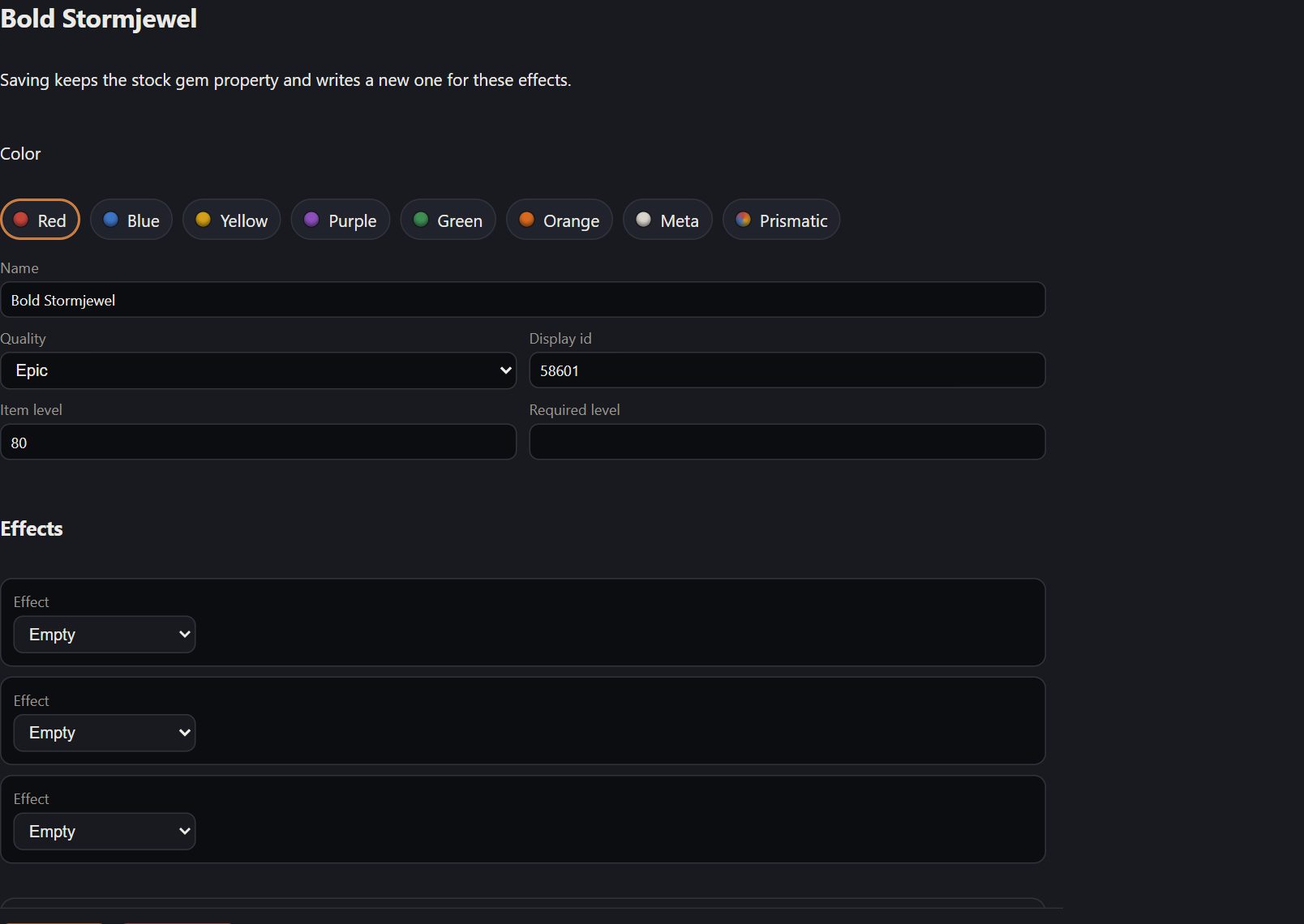
Set a gem's color and the effect it grants. Add sockets to other items on the same page.

  • Every gem color, including meta and prismatic
  • Quality, item level and icon
Bold Stormjewel open in the gem editor, with its color set to red
Bold Stormjewel.

Edits in their own database

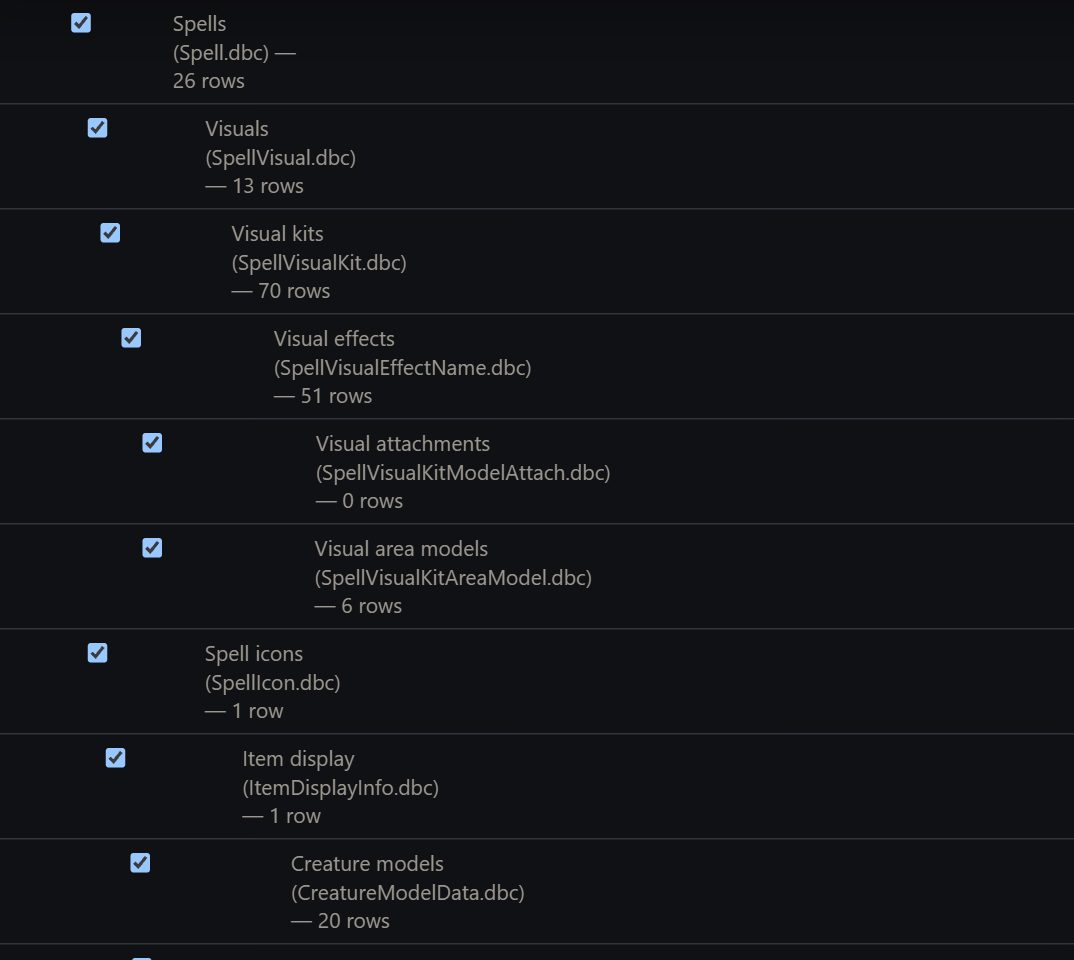
Your client edits go into acore_world_dbc, next to the world database, with one *_dbc table per client file.

  • *_dbc tables hold what you changed or added
  • *_dbc_original tables hold the imported client file, read-only
  • Saved rows are copied into the world database for AzerothCore
  • Items, creatures, objects and quests save to the world database
The database page listing client tables such as spells, visuals and creature models
One table per client file, with row counts.

Client

Setup

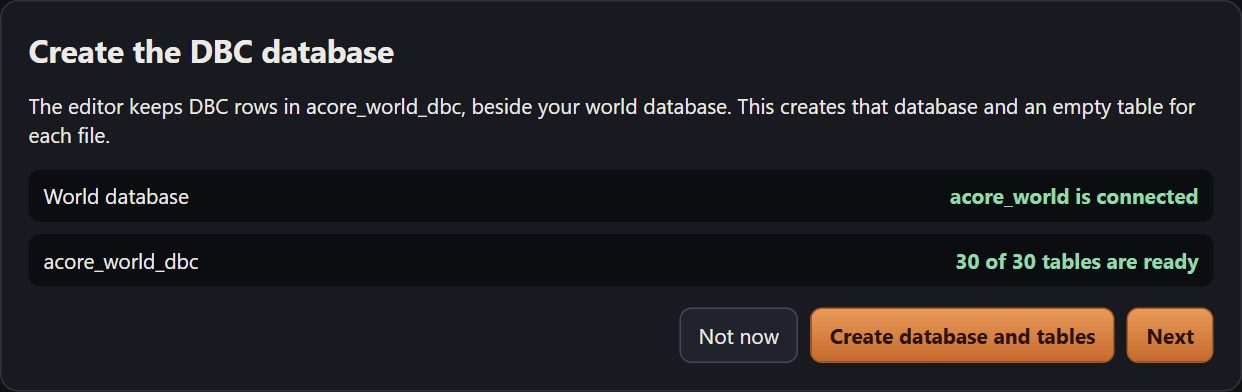
First launch checks the database connection, creates the tables and asks for your folders.

  • World database check
  • One table per client file
  • Client folder and patch name
The setup wizard showing the world database connected and all client tables ready
The database check.

Cast stage

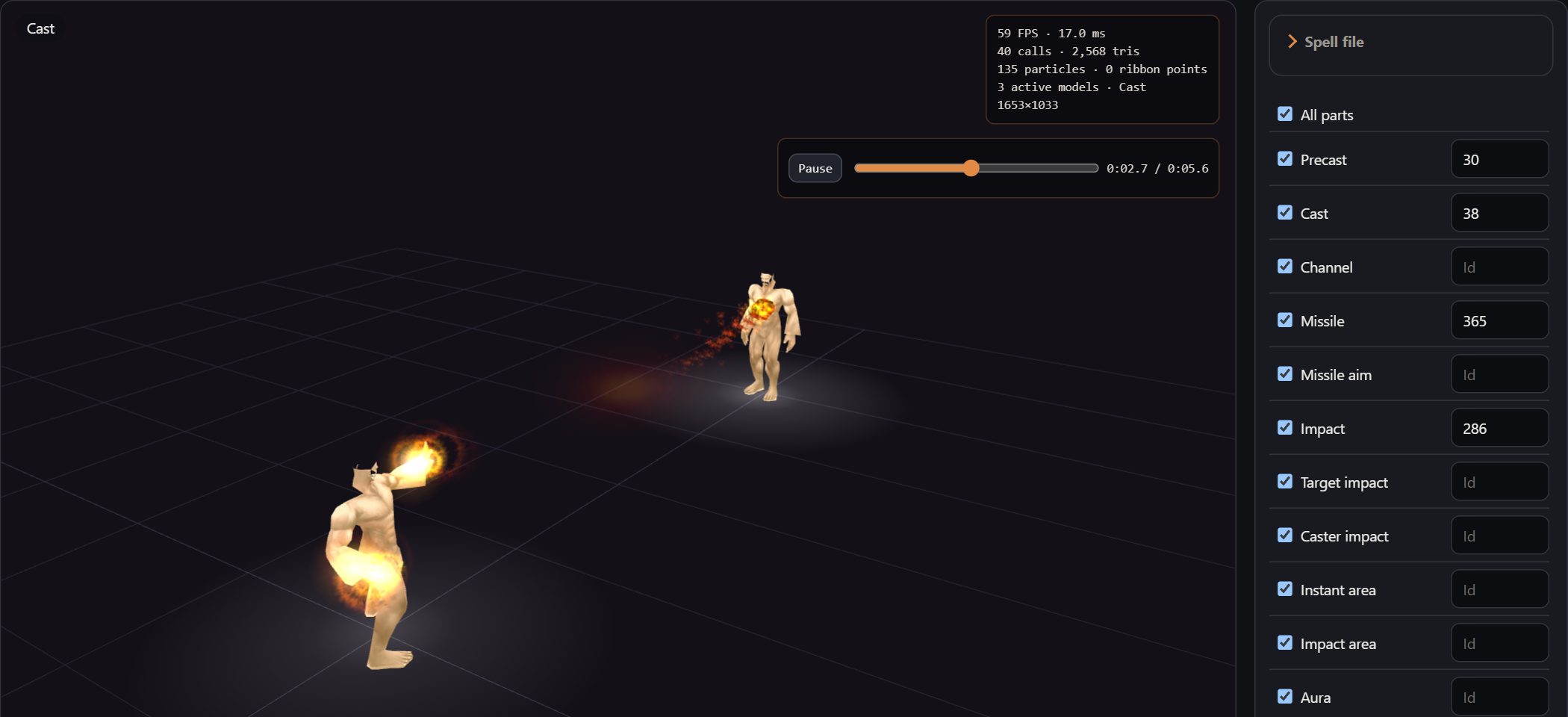
Play any spell between a caster and a target.

  • Play precast, cast, channel, missile or impact on its own
  • Copy the spell into Records
Two characters on the cast stage while a fire spell is playing
A fire spell on the cast stage.

Recolor

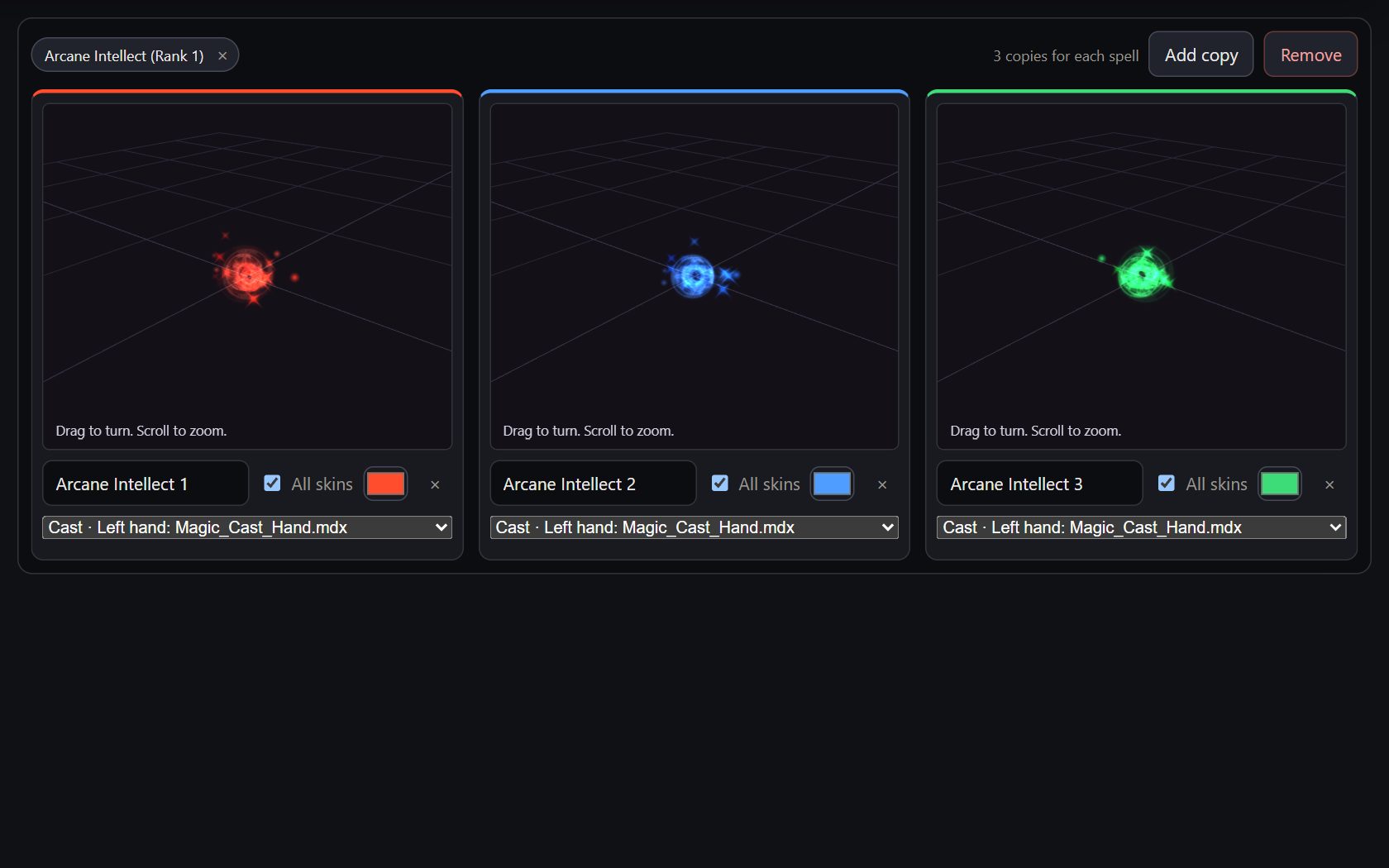
Make colored copies of a spell and preview them side by side.

  • Any number of copies
  • Color the whole effect or one part
  • Spells that share a visual stay together
Three recolored copies of Arcane Intellect, in red, blue and green
Arcane Intellect in three colors.

Downport

Retail models and textures, converted to 3.3.5. Particles and animations included.

  • From Blizzard's CDN or a local retail install
  • Characters, creatures, buildings and textures
  • Recolor, fade, move, or merge two models
  • Save as a spell, item, creature, object, skybox or mount
A retail boss model shown in the Downport viewer
Dimensius, from retail.

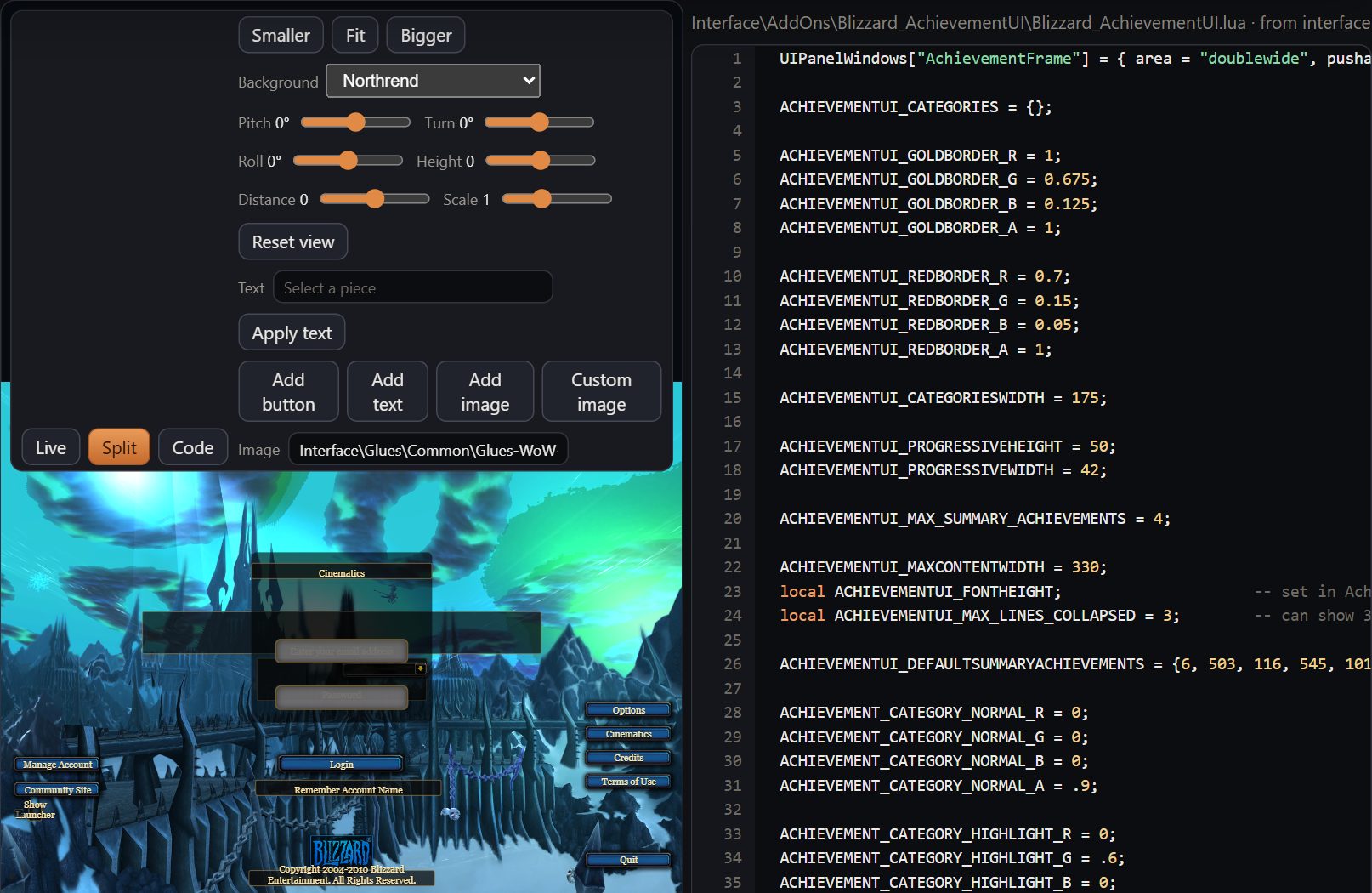
Login, character select and the realm list

Edit the screens before the world loads, with the interface file open next to them.

  • Login, character list, character create and realm list
  • Move, scale and recolor pieces
  • Add buttons, text and images
The login screen open beside its interface file in a split view
The login screen.

* Might need wow.exe patching

MCP

Connect Cursor, Claude or any MCP client and describe what you want. It can build spells, creatures, quests, items and factions, bring in retail models, and export the patch. 24 tools, using the same fields and flag names as the editor.

mcp.json
{
  "mcpServers": {
    "retroport": {
      "command": "node",
      "args": ["C:/retroport/src/mcp.js"]
    }
  }
}
  • Look things up

    Search and read any spell, creature, object, item, quest or DBC row. Flag names and field lists come from the editor.

    searchget_rowlookup_flagsdescribe_kindlist_creatorseditor_status
  • Spells

    Create from a template, edit fields, or make recolored copies.

    create_spellupdate_spellrecolor_spells
  • World

    Creatures, objects, items and quests, with spawns and quest givers.

    save_creaturespawn_creaturesave_gameobjectspawn_gameobjectsave_itemsave_questattach_quest_creaturecreate_faction
  • Any record

    Write, clone or delete any DBC row: visuals, displays, achievements, titles and more.

    save_recordclone_rowdelete_row
  • Downport and export

    Pull a retail model into 3.3.5 as a spell, item, creature, object or skybox, then write the patch.

    load_retail_catalogsave_downportexport_files
  • Everything else

    Any other editor route, including icons, maps and interface edits.

    call_api
Limitations

Not done yet.

  • Body armor in Downport

    Chest, legs, waist, feet, wrists, hands, shirts, tabards and robes equip, but keep the 3.3.5 look. Helmets, shoulders, cloaks, shields and weapons show the retail model.

  • Buildings

    Buildings can't be mounts or merged into another model. As a skybox, they have to be converted, not copied as-is.

  • Missing retail files

    Files missing from Blizzard's list are skipped and listed in the report.

  • Terrain

    Paint terrain in Noggit. retroport packs the project into your patch.

Questions

Are updates included?

Yes. After purchase you get access to the private repo, and every update lands there.

Does it change my server's code?

No. It only writes to the database and the client patch.

What do players need?

The patch file, in their Data folder.

Where are my edits stored?

In acore_world_dbc. Imported originals are kept in the *_dbc_original tables. Items, creatures, objects and quests are also written to the world tables the server reads, such as item_template and creature_template. Their client rows, like item_dbc and the display tables, are still tracked in acore_world_dbc.

Do I need an account?

No. It runs locally.

How does the AI part work?

retroport is an MCP server. Cursor, Claude and other MCP clients can create spells, creatures, quests and items, then export the patch.